

Have you ever checked Search Console and seen a page marked “crawled, currently not indexed” and just moved on, thinking it will sort itself out eventually? I used to do that too. This week’s WAbinar changed my mind about that completely.
Quick Recap: What Is “Crawled But Not Indexed”?
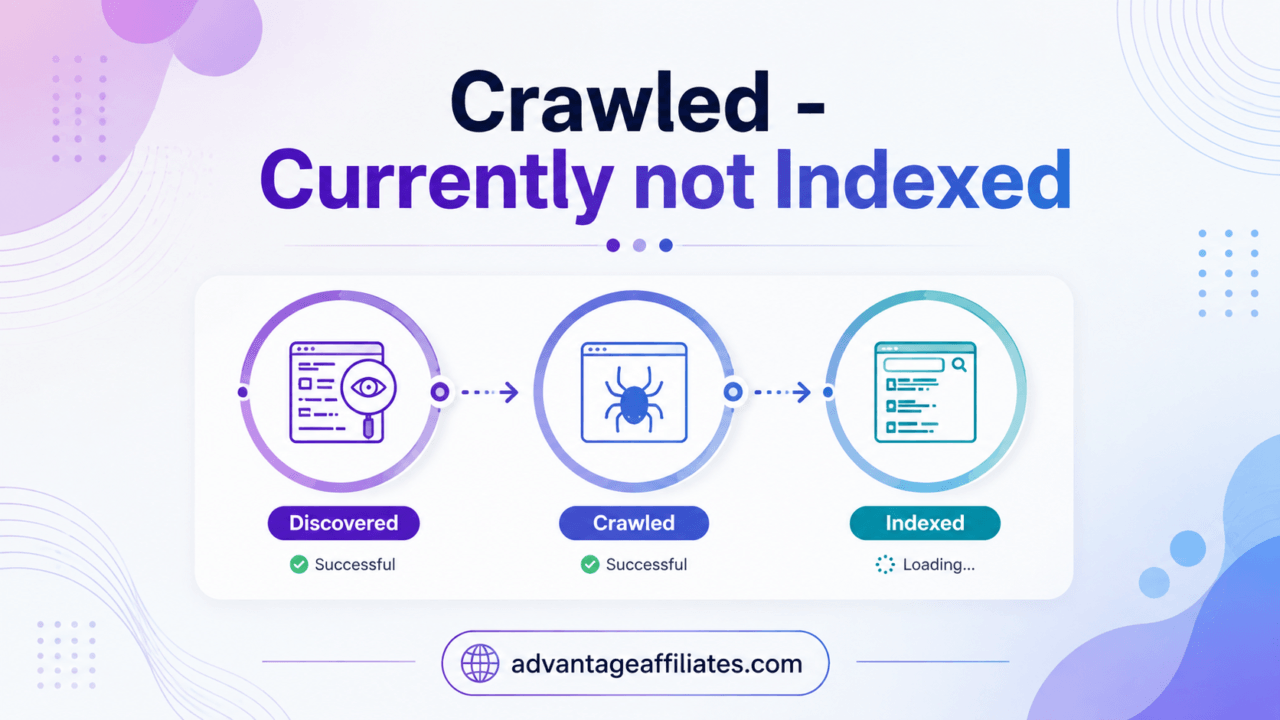
Here is the topic in plain words. Google visits your page, reads it, and then decides not to add it to the search index. That means it will not show up in search results at all, even though nothing is technically broken and nothing is blocking it.
It is different from a page that is invisible to Google altogether. This one, Google saw. Google just did not think it was good enough to keep.
That is exactly the problem magistudios tackled in this week’s session, and he did something I always love watching him do. He fixed it live, on screen, and checked the result in front of everyone on the call.
What Happened in the WAbinar
Here is a quick rundown of what magistudios covered, in order:
- Explained what “crawled, currently not indexed” actually means and why it is a quieter problem than a page that is fully invisible
- Showed a finished rewrite from a previous session as a before and after example
- Ran a live diagnosis on a second article to figure out exactly why Google was ignoring it
- Rewrote that article from scratch, live, including new images
- Went through a quick formatting and cleanup pass before publishing
- Updated the live post and requested indexing in both Google Search Console and Bing Webmaster Tools
- Watched the page flip from not indexed to indexed, in real time, before the session ended
- Created matching Pinterest pins straight from the same content
- Talked about setting up a dedicated AI project for each website so it remembers your preferences and builds its own SEO playbook over time
That last one really got me thinking, and I want to expand on a few of these below.
Why the Diagnosis Mattered More Than the Rewrite
Before touching a single word, magistudios ( Wealthy Affiliate Live Video Training Coach) ran a diagnostic on the article to understand why Google was not keeping it in the index. And honestly, the answer was not flattering. The old content was basically a shopping list from 2017. Mason jars, sconces, a galvanized sink, no real point of view, nothing that helped anyone actually make a decision.
I think this is the part a lot of us skip. We jump straight to rewriting because rewriting feels productive. But if you do not know why Google is passing on your page, you might fix the wrong thing. magistudios’s diagnosis pointed at the real problem first, and that made the rewrite so much more effective.
Watching the Index Status Actually Flip
This was the moment that stuck with me the most. After the article was rewritten, republished, and images were added, magistudios went into Search Console, clicked to test the live URL, and waited. A minute or two later, the status changed from not indexed to indexed. Right there, on the call.
He did the same thing in Bing Webmaster Tools straight after. It is one thing to be told this process works. It is another thing to watch it happen with your own eyes.
The Small Habits That Make the Difference
I also want to mention something small that magistudios does with every single image before it goes up. He renames it around the actual keyword instead of leaving the long, obviously AI-generated file name it downloads with. He also builds a horizontal version for the post and a vertical version for Pinterest, every time, so nothing extra needs to happen later.
He was honest that this step takes time and is not exciting. But small habits like this, done consistently, are what separate content that performs from content that just sits there looking fine.
What I’d Actually Try From This
If I had to pick just one thing to bring into my own workflow, it would be running a real diagnosis before rewriting anything. I have definitely been guilty of rewriting a page just because it felt outdated, without ever asking Google or my readers what was actually wrong with it.
I am also going to start renaming every image before I upload it. It is such a small thing, but magistudios made a really convincing case for why it matters, both for how the image looks and how search engines understand it.
What I’m Leaving Out on Purpose
There are two things from this session I am not going to fully spell out here, and I am doing that on purpose. The exact formatting and cleanup checklist magistudios runs through before publishing goes deeper than what I described above, and watching him do it live in the real editor is where it actually clicks. The same goes for how he sets up a dedicated AI project for a site so it builds and remembers its own SEO playbook over time. The prompts and back and forth that get you there are worth seeing for yourself.
If you want the full walkthrough instead of just my notes, that is exactly what the live sessions are for.
FAQ
What does “crawled, currently not indexed” mean?
It means Google has visited your page and read the content but decided not to include it in search results. It is different from a page being blocked, broken, or never discovered at all.
Why would a rewrite fix that if Google already looked at the page once?
Because the problem is usually the content itself, not a technical issue. Once the page gives Google, and your readers, a real reason to keep it around, it has a much better shot at getting indexed.
Do I need any special tools to check if my pages have this problem?
No. Google Search Console shows you this for free under the page indexing report, and it will tell you exactly which pages are crawled but not indexed.
Does renaming AI generated image files actually make a difference?
Based on what was shown in this session, yes, for giving search engines more context about what each image actually shows.
How long does it usually take for a rewritten page to get reindexed?
It varies. In this session, the change was picked up within minutes of requesting indexing, which is not typical for every case, but it does show how fast it can happen once the content is actually worth indexing.
Is it worth catching this live?
Absolutely. While the replay is useful for pausing and revisiting the steps, watching it live gives you the full experience as things unfold in real time. You get to see the decisions, unexpected moments, and results as they happen, which is often where the real learning happens.
Magistudios runs these sessions almost every week, so there’s always something new to learn and a different page or strategy to explore. Join Wealthy Affiliate here and you can catch the next live session and learn alongside the community.
Closing
This is exactly why I keep making time for these sessions every week. It is one thing to read about fixing an SEO problem. It is another thing entirely to watch someone diagnose it, fix it, and get the result on screen before the call even ends. If you want to see the full process for yourself, not just my notes on it, come join Wealthy Affiliate and catch the next one live.
See you there,
Jjivita

